I made three apps around the calendar. A series about putting the iOS Calendar to use from different angles, so to speak.
1. Calendar Cells
Conditional formatting, on a calendar
I wanted conditional formatting on the iOS Calendar, the way you get it when you build a calendar in Excel.
With conditional formatting, you can color cells by what the event is. I couldn’t find an app that did it, so I had wanted to build a simple one for a long time.
For example, coloring my own days off and my colleagues’ time off differently.
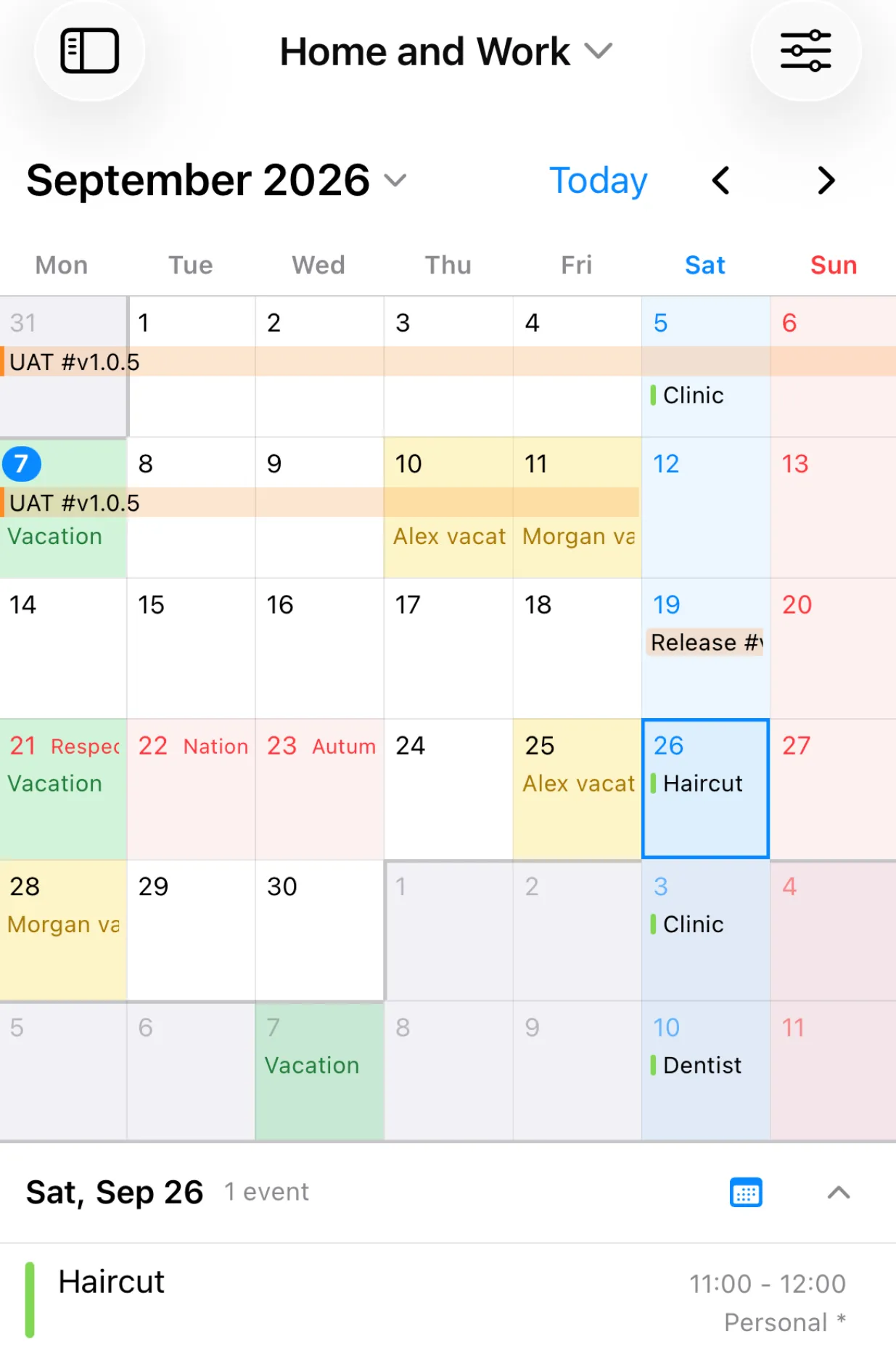
I thought a bare minimum display would be enough, so I had something simple in mind. Once I started, I wanted more, and it ended up richer than I expected. As a result, it looks like it will become a favorite that I use every day.
I also found a benefit I hadn’t designed for
I built the “View” feature to switch between several sets of conditions.
Actually, isn’t this feature useful even without conditional formatting?
- View 1: Personal events
- View 2: Work events
- View 3: Personal + work
- View 4: Everything
Like this, combining calendars gives you something like profiles.
2. Calendar Stamp
A stamp card app that records to your calendar with one tap.
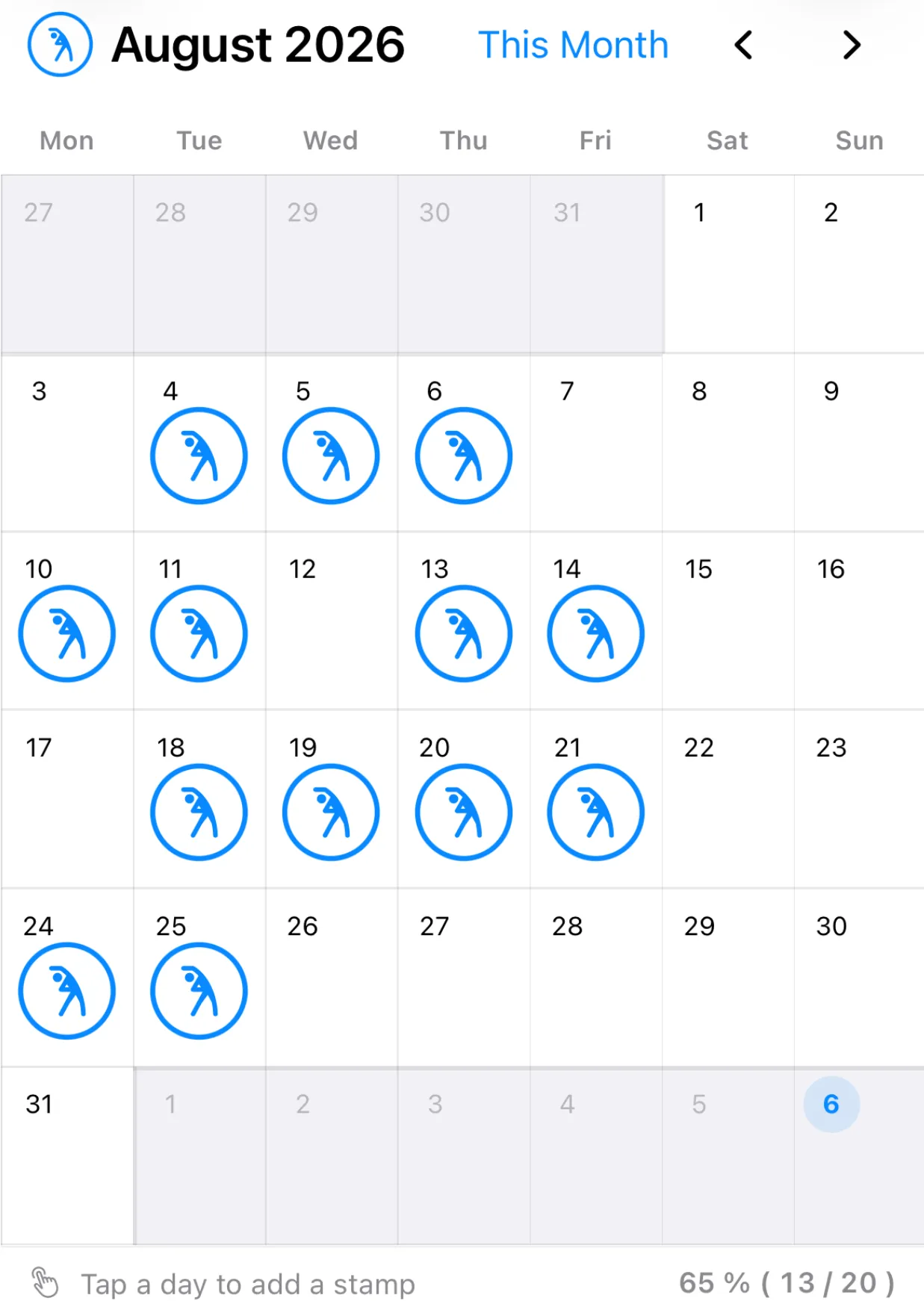
It is a single-purpose app, exactly as it looks. But there is a bit of a story behind it.
This may be a Japan-only thing, but when I was in elementary school, summer vacation had an event called “radio calisthenics”.
Every morning we gathered in the schoolyard at a fixed time and exercised along with recorded music and instructions from the radio.
When it was over, we got one stamp on the card we brought, one a day, and by the end of summer the card gave us a sense of “I did this much”.
I turned that experience into an app.
It records to the calendar so that the data does not stay shut inside the app, and I can look back on it in the standard Calendar or in other apps.
3. Calendar Template
This one has a different character from the others. I built it with work schedules in mind.
The project I’m on has a release scheduled every three months.
Counting back from the release date: so many weeks of development, so many weeks of testing. There are also routine tasks, tests and documents to submit, each at a fixed point.
Part of me thinks I could just put up with it once every three months. But tapping in the same events over and over is real pain for me. Embedding that pain into my personal phone, of all things.
Something like “register a batch of events as a template” probably exists if I look for it. But my requirements were clear in my head, so I built it.
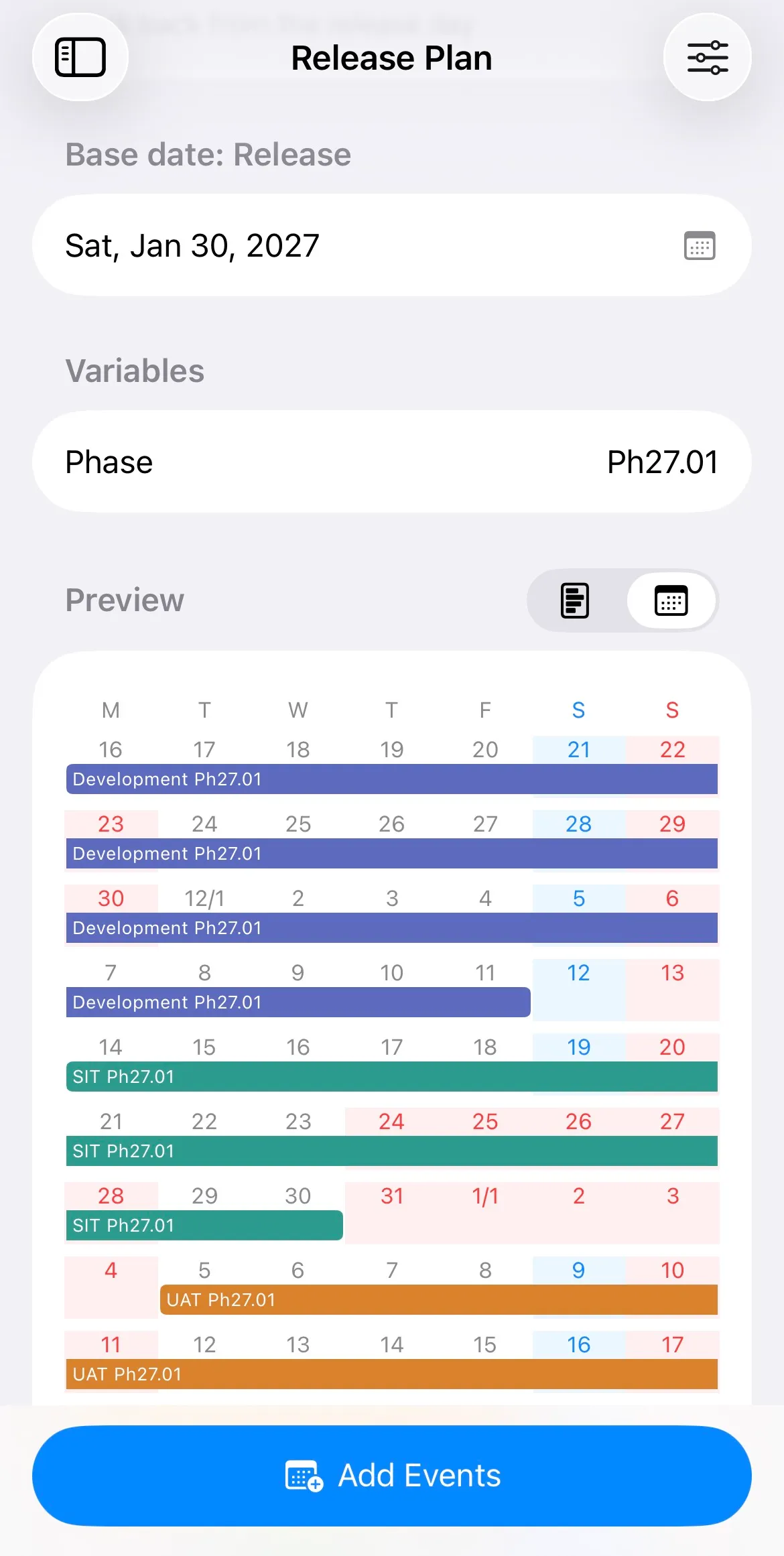
This example is for work, so it is dry. But it would be fun to make something like a fan-activity template built around concert trips. My imagination runs on.
It is not implemented yet, but if I added export and import as JSON, people could share templates, and something might grow between users. The daydream doesn’t stop. Although most of the apps I’ve released have exactly one user, so this is quite presumptuous of me.